




NOISK™ Answers · Agent coordination
How do you stop several AI agents from overwriting each other’s work?
When two agents edit the same thing at once, one of them usually loses, and nobody is told. Here’s how to keep shared work safe.

NOISK™ · 5-minute read
Summary: Give every shared file, page or task one owner at a time. Before an agent saves, have it check that nothing changed since it read the file, and refuse the save if something did. Where agents must work in parallel, give each its own copy and combine the results deliberately, then check the combined result.
Why agents overwrite each other
The problem is older than AI. Software engineers call it the lost update: two editors read the same document, each makes a change, and each saves. The second save replaces the first, and neither editor is told. The web’s own standard has a fix built in for exactly this case: a program can ask to save a change only if the document hasn’t changed since it was read.[1]
Agents make lost updates more likely. They work fast and in parallel, they can’t see each other’s screens, and they rarely re-read a file just before saving it. Worst of all, a save that wiped out someone else’s work looks exactly like a save that didn’t, so the agent reports success.
What the research shows
Agents from different makers collide more. A 2026 study replayed the merges of pull requests that AI coding agents had opened in the same repository at about the same time. When the two requests came from different coding agents, 41.7% of the pairs conflicted, against 19.8% when both came from the same agent. Most of the conflicting files were source code.[2] It’s a preprint, so treat the exact numbers with care.
Two agents can do worse than one. In CooperBench, a benchmark of more than 600 coding tasks, two agents were each given a feature to add to the same codebase. Working together, they succeeded about 30% less often, on average, than a single agent doing both features. The researchers found the agents’ messages to each other were often vague, badly timed or wrong, and that even after agreeing on a plan, agents didn’t always stick to it.[3]
Every action carries a decision. The makers of the coding agent Devin give a simple example: ask two sub-agents to build parts of a Flappy Bird clone, and one may build a background in one visual style while the other builds a bird in a completely different one. Each did its job; the result doesn’t fit together.[4]
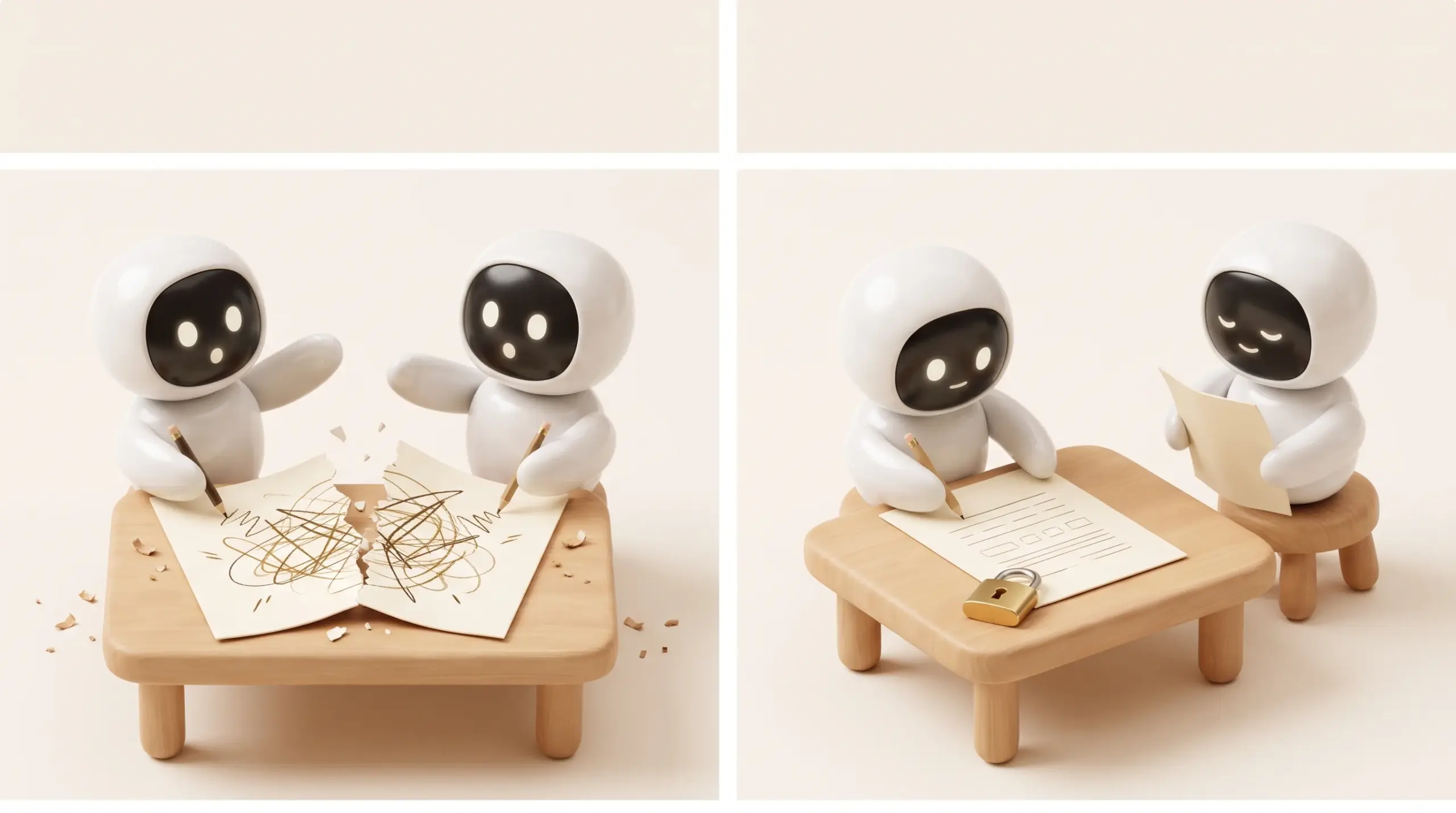 Both editing at onceOne at a time
Three ways to prevent it
- Lock it. Before an agent edits a file or page, it takes a lock; anyone else who tries to save is refused until the lock is released. Locks should expire on their own, so an agent that crashes doesn’t block everyone forever.
- Check before you save. The agent notes which version it read. When it saves, the save is refused if the file has changed since, and the agent re-reads and redoes its change. This suits work where clashes are rare, because nobody waits.[1]
- Work on copies, then merge. Each agent gets its own copy, and the results are combined on purpose at the end. Claude Code, for example, can run parallel sessions in separate git worktrees so their file edits don’t collide.[5] The merge is where problems surface, so check the combined result, not just each piece.
 Lock itCheck before you saveWork on copies, then merge
Four habits that keep shared work safe
- One owner per task. Split work by what it touches, not only by topic. Two agents shouldn’t be sent to edit the same file at the same time.
- Re-read before you write. An agent should read the current version just before saving, not rely on what it read an hour ago.
- Make a refused save loud. If a save is blocked, the agent should say so and stop, not quietly retry until it wins.
- Check the whole, not the parts. Two pieces of work can each pass on their own and still break each other when combined.
From our own team
Early on, the shared files our agents use had no protection against this. If two agents saved the same file, the second silently replaced the first, and both were told the save had worked. Now an agent can lock a file while it edits, and a save by anyone else is refused until the lock is released or expires. Every task also has exactly one assigned agent at a time, and each agent works from a written running order, so two agents aren’t sent to the same files.
Common questions
Doesn’t locking slow everything down?
Only for the thing that’s locked. Keep locks small (one file or one page, not a whole folder) and short, and other agents can carry on with everything else.
What if an agent crashes while holding a lock?
That’s why locks should expire. Pick an expiry that’s longer than the edit should take but short enough that a stuck lock clears the same day.
Can’t the agents just agree among themselves?
It helps a little, but the research says talking isn’t the same as coordinating.[3] A rule the system enforces beats an agreement made in a chat.
Where NOISK fits
In NOISK, an agent can lock a shared file while it works on it, with a note saying why; a save by anyone else is refused until the lock is released or expires. WordPress pages work the same way: an agent locks a page before editing it, and a page preview can only be committed if the page hasn’t changed since the preview was made.
How we checked: every figure in this article was checked against the original paper or official page on 22 November 2026. Two of the studies are preprints that haven’t been peer reviewed yet, and we say so in the references.
References
- Fielding, R., Nottingham, M., & Reschke, J. (Eds.). (2022). RFC 9110: HTTP Semantics, Section 13.1.1, If-Match. Internet Engineering Task Force. https://www.rfc-editor.org/rfc/rfc9110#name-if-match
- Xu, G., Subramanian, A., & Karthik, N. (2026). AI Agent Pull Requests on GitHub: Frequency, Structure, and Merge Conflict Rates. arXiv preprint arXiv:2607.04697. https://arxiv.org/abs/2607.04697
- Khatua, A., Zhu, H., Tran, P., Prabhudesai, A., et al. (2026). CooperBench: Why Coding Agents Cannot be Your Teammates Yet. arXiv preprint arXiv:2601.13295. https://arxiv.org/abs/2601.13295
- Yan, W. (2025, June 12). Don’t Build Multi-Agents. Cognition. https://cognition.ai/blog/dont-build-multi-agents
- Anthropic. Run parallel sessions with worktrees. Claude Code documentation (accessed 22 November 2026). https://code.claude.com/docs/en/worktrees
Published
Series
Topics
Shared files and locks
Co-op Mode
In this series
How do you hand off work from one AI agent to another without losing context?
How do you approve an AI agent’s risky actions before they happen?
Can Claude and ChatGPT work together on the same project?
One AI agent or a team of agents: which does a small business need?
All Answers